








 Print
Print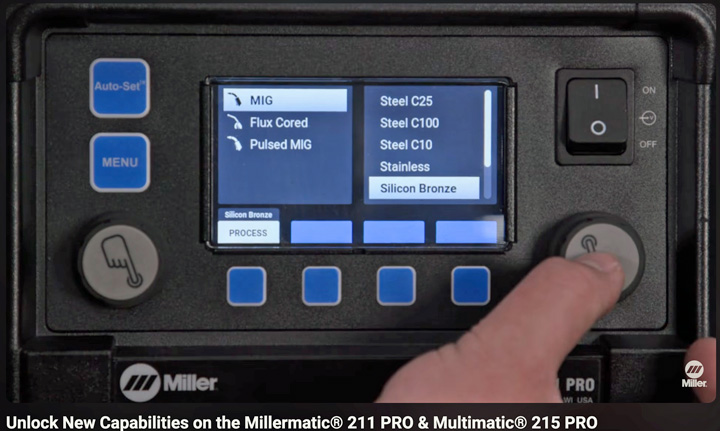
Like your computer and mobile device, shop equipment may require updates to fix bugs or add new features. Miller Electric Manufacturing Co (Miller) manufactures welders, some of which support software updates that add new capabilities!
A recent announcement in the Miller Pro newsletter, which provides industry news, technical information, and application videos for welding professionals, states: “The Millermatic 211 PRO and Multimatic 215 PRO now have Pulse capabilities...”
Miller has an Unlock New Capabilities On The Millermatic 211 PRO & Multimatic 215 PRO video that shows how to perform the upgrade on the machines and states the update adds a selectable silicone bronze process.
Miller has a support area that offers software updates you can download to a USB drive and update your machine. You can also find model-specific resources, such as instructions and videos, to guide you through the process.
Step-by-step instructions to find the updates:
- Go to millerwelds.com
- Hover over Support (top of webpage)
- Select Software from dropdown
- Select welder type:
- option 1: Millermatic 211 PRO:
- Scroll down to MIG Welders
- Click Millermatic (right side of webpage)
- Click Millermatic 211 PRO Updates (top of webpage)
- option 2: Multimatic 215 PRO
- Scroll down to Multiprocess Welders
- Click Multimatic (left side of webpage)
- Click Download Software Updates
Be sure to select the correct software update for your welder and review the installation instructions and release notes before installation.
To learn about software updates when they are announced, sign up for the Miller Pro newsletter.
Additional I-CAR Collision Repair News you may find helpful: