








 Print
Print
Per your requests, we are adding step-by-step instructions on how to access the vehicle maker repair information to complement our how-to-videos on the OEM Information pages. Easily reference this article by clicking the link under the video on the Mercedes-Benz OEM Information page.
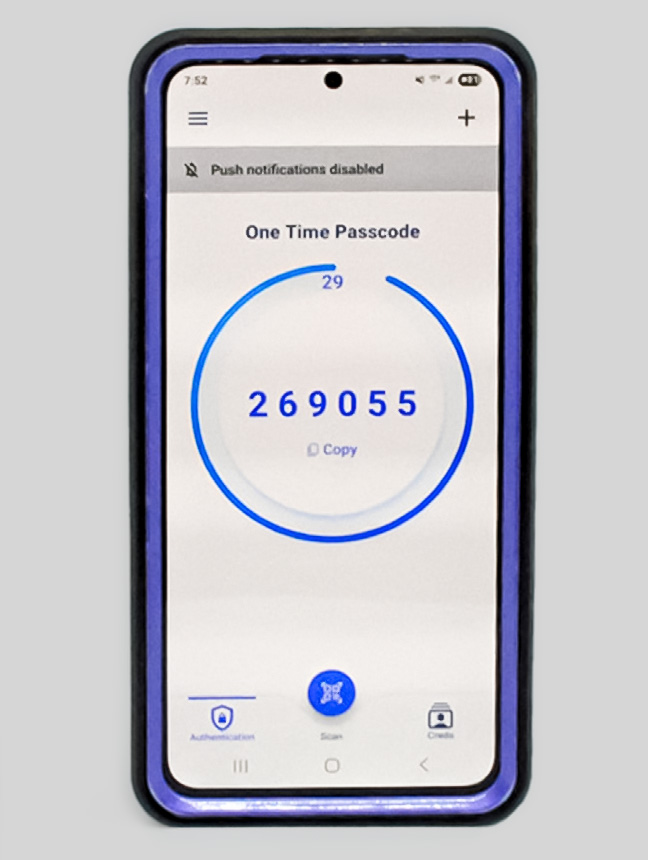 Figure 2 - PingID app
Mercedes-Benz added another level of security to their website. The PingID app must be downloaded from either Google Play or Apple App Store by a dedicated user. The app provides a One Time Passcode (see Figure 2) that resets every 30 seconds. If the code is not entered within this time frame, a new code is required.
Figure 2 - PingID app
Mercedes-Benz added another level of security to their website. The PingID app must be downloaded from either Google Play or Apple App Store by a dedicated user. The app provides a One Time Passcode (see Figure 2) that resets every 30 seconds. If the code is not entered within this time frame, a new code is required.
To find the Mercedes-Benz repair information:
- Go to www.startekinfo.com
- Click Login (top right of webpage)
- Enter username and password
- Click Log On
- Click Xentry WIS (right side of webpage)
- Open PingID app
- Enter One Time Passcode provided
- An Authenticated window opens
- A new window pops up
- Enter vehicle
- option 1: Enter VIN
- option 2: Select Chassis Mode from dropdown
- Click OK
- Click Standard
- Click "+" button under Groups area to filter by groups to search, 60-65 are body related
- Click "+" button under Information Types to filter information
- Select All Information Types
- Click Search
- Click Eye icon to view document (right side of webpage)
Additional I-CAR Collision Repair News you may find helpful:
Article validated in 2026