
 Print
Print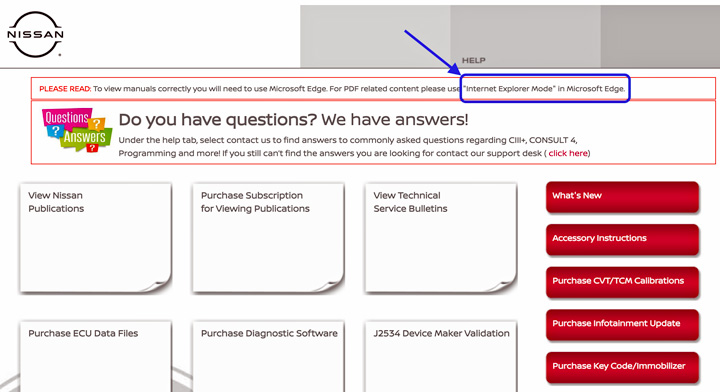
You get a new computer, you have everything setup. You start to access an OEM information website. You get to where the manual used to open and you get a blank screen instead. Now what?
If you have a brand-new PC, it is most likely set up to use Microsoft Edge (Internet Explorer’s replacement) as the default browser. While this browser may work well on most websites, some OEM websites may be optimized to function on specific browsers. Information on what an OEM requires for their website can often be found in the frequently asked questions or software requirements area. Reviewing this type of information helps determine which browser is recommended, as well as other system requirements that may be necessary.
Installing more than one browser on your computer can help relieve some browser-related hiccups. Settings, extensions, and other software can also be factors to consider.
Using OEM service information is critical; therefore, being able to view material properly is equally important to ensure a complete, safe, and quality repair.
Article validated in 2026